---
title: Undo an operation from history
sidebar:
order: 10.7
---
Use [purchase corrections](/en/guides/purchase/amount-and-quantity-corrections) for amounts or quantities after stock registration. Use [record corrections](/en/guides/inventory/record-corrections) for historical descriptions or internal notes. These are separate from undoing an operation.
Appraisal saves, acceptance and arrival operations can be undone when recovery information was recorded. This does not reverse external messages, signatures, payments or settled transactions. Combined counter handovers are excluded.
| Situation | Action |
| ----------------------------------------------- | ----------------------------------------------------------------------------------------------------------------------- |
| Just saved; nothing changed afterwards | Use **Undo** in the completion message |
| Choose an earlier point after reviewing history | Use the before/after restoration actions in **Activity** |
| Reverse the latest acceptance/arrival stage | Use the status menu’s stage-reversal action; see [Shipping and final appraisal](/en/guides/purchase/shipping-and-final) |
## 1. Choose the deal and saved operation
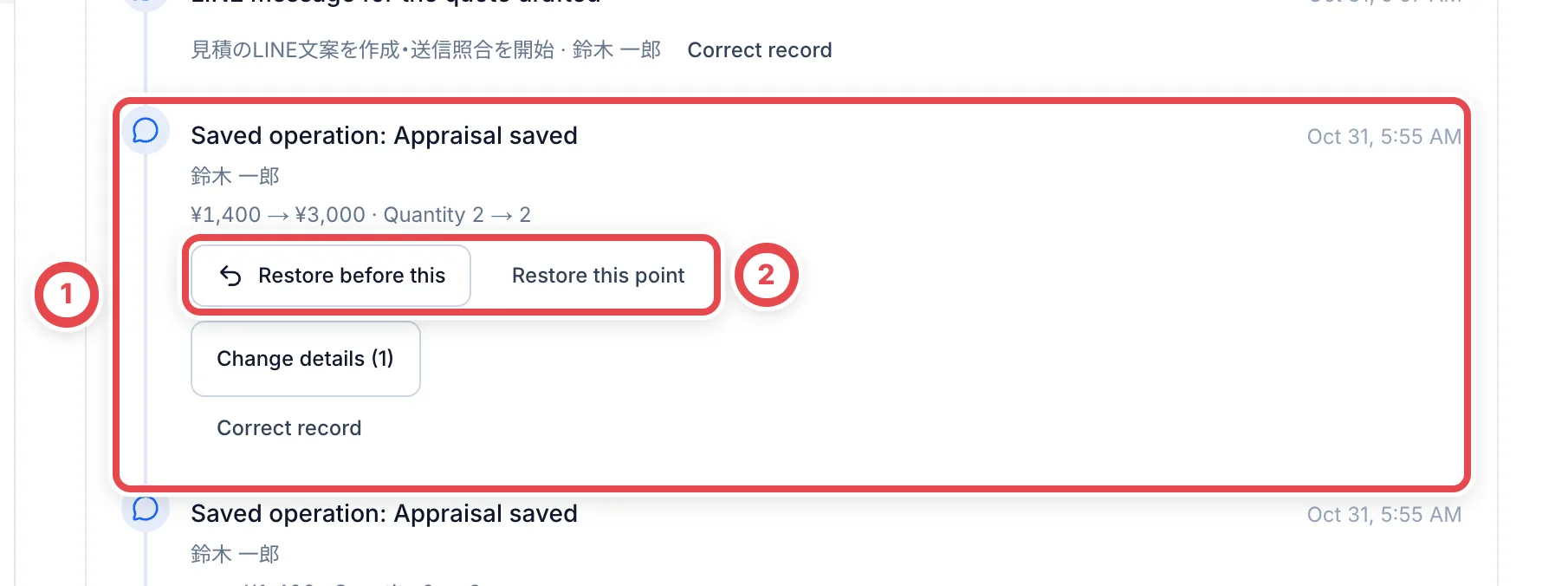
Open **Activity** on the correct deal. Check the saved operation, timestamp, staff member, amount and quantity at ①. At ②, restoring before an operation selects its preceding state; restoring to that point selects its following state. Later eligible operations may also be reversed, so review the preview.
 ## 2. Review the change and supply a reason
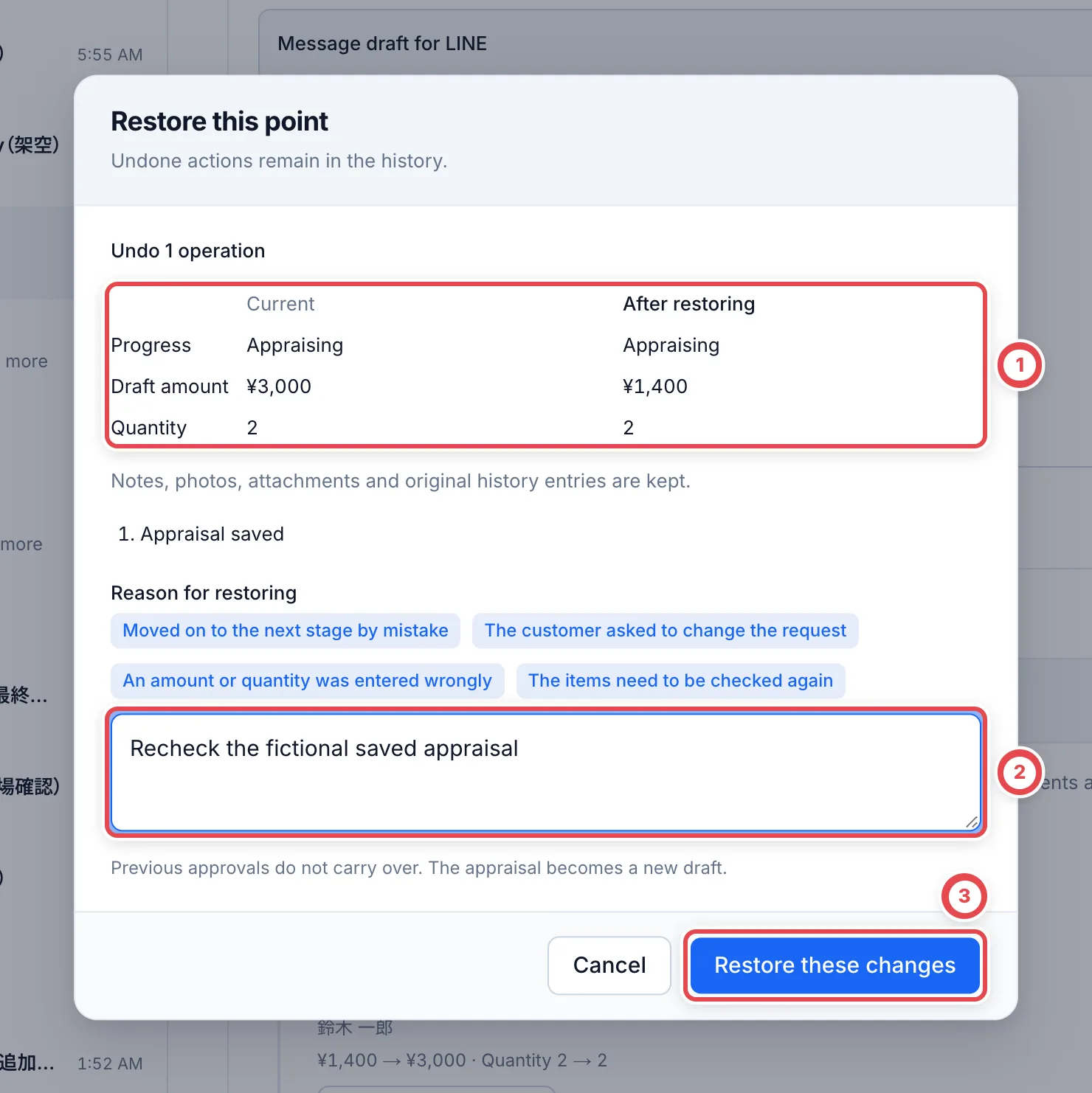
At ①, compare current and restored progress, draft amount, quantity and affected operations. Enter a reason at ② and confirm at ③. Original history, notes, photos and attachments remain. Previous approval is not carried forward automatically; appraisals become new drafts.
After saving, reopen history and verify both the restoration record and resulting lines. If restoration is blocked, inspect the named dependency and use the appropriate correction workflow.
 ## 3. Use immediate undo
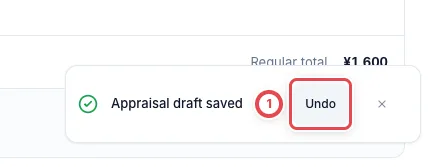
After a supported save, the completion message at ① offers **Undo** for about ten seconds. Use it to reverse the latest eligible operation. If it disappears or another operation occurred, inspect history instead.
Without the required permission, the message offers a history action. For an unknown network result, retry the same operation or inspect its history rather than starting a different restoration.
 ## Troubleshooting
| What you see | What to check |
| ----------------------- | -------------------------------------------------------------------------------------- |
| No restore action | The operation may be unsupported or lack recovery information. |
| Later operations exist | Choose the intended point in current history. |
| Related records changed | Inspect responses, signatures, documents, stock and open review/research dependencies. |
| Deal is settled | Use payment, inventory and statutory-ledger corrections. |
| Missing permission | Purchase editing and the operation’s specific restoration permission are required. |