

Before serving customers
Before accepting an in-store purchase, check the shop you are working in, the device staff will use and the register used for cash payments. When ready, continue to the In-store purchase workflow.
1. Sign in and check the shop
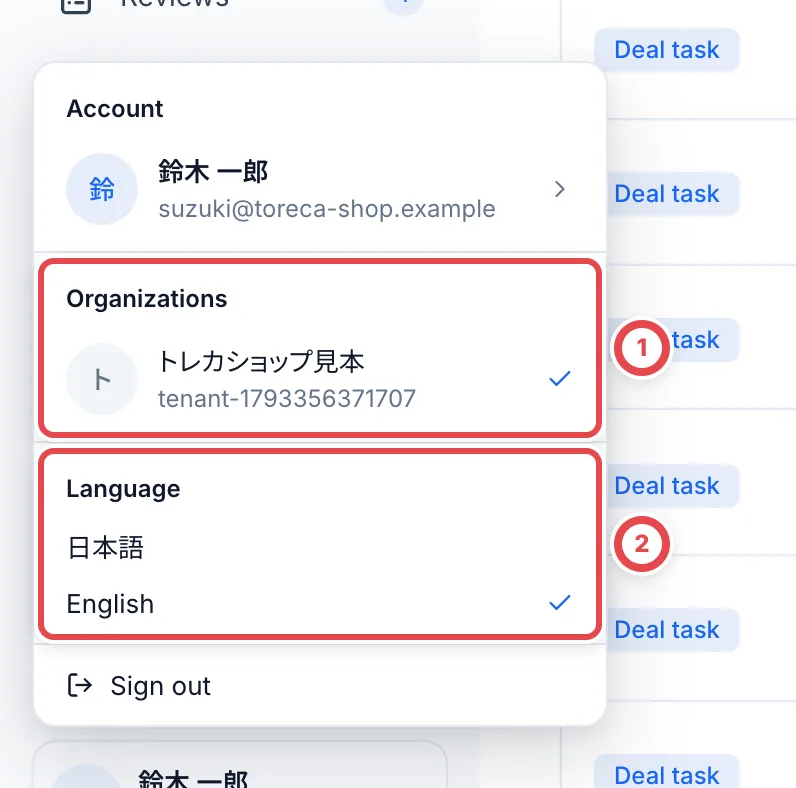
Sign in, then click your name and shop name at the bottom of the sidebar. In ① Organizations, check that the shop you are working in has a checkmark. Select the correct shop if a different one is active.
To change the display language, use ② Language in the same menu.
2. Prepare the device staff will use
Open the console on the PC or tablet staff will use and check its internet connection. Staff use this console for intake, card registration, appraisal, recording the ID check and payment.
3. Open the register if your shop uses cash management
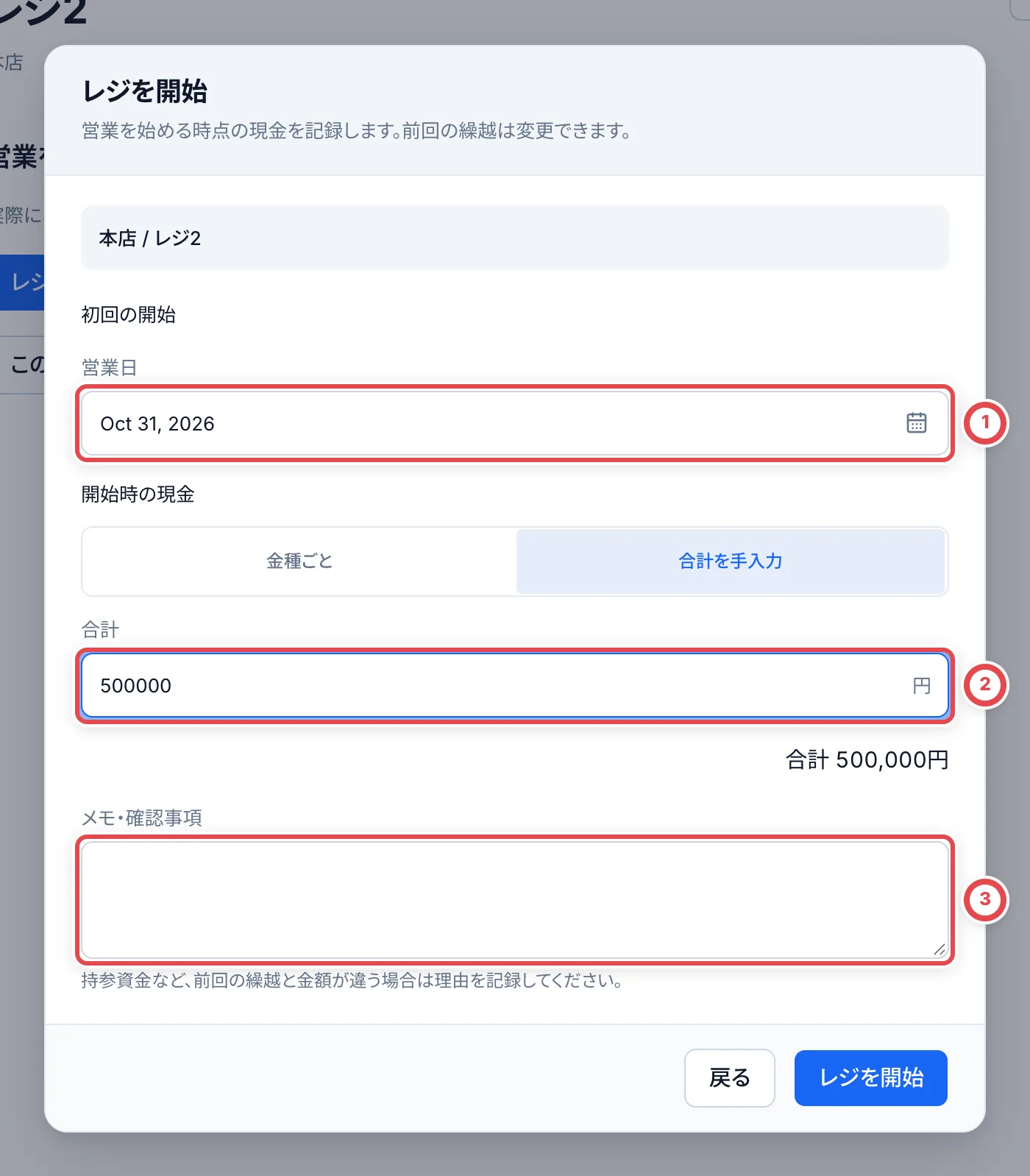
Open Cash registers in the sidebar and choose the register used for payment. If it shows 営業中 (Open), it is ready. If it shows 未開始 (Not started) or 次回開始前 (Before next opening), click レジを開始 (Start register).
- Check ① 営業日 (Business date).
- Count the cash in the register and enter the count for each denomination in ② 開始時の現金 (Opening cash). Empty denominations count as 0, and the total appears in the last row of the table.
- If the amount differs from the previous carryover, explain why in ③ メモ・確認事項 (Notes).
- Click レジを開始 (Start register) and check that the register shows 営業中 (Open).
You do not need to restart an open register for each customer. If a previous business day is still open, close that session first. If there is no register, cash management is missing or you need to top up cash, see Cash management and closing.
When using in-store purchases for the first time
If the shop has not been set up, ask the manager to confirm:
- The secondhand dealer license information is registered.
- In-store purchases are enabled and the payment methods have been chosen.
- If the shop uses bank transfers, someone is responsible for approval, execution and recording results after submission.
Standard staff can complete cash handover once the shop’s approval rules are satisfied. For bank transfers, staff prepare the account, postage, consent evidence and PSA numbers and submit the request. Ask an authorized colleague to return a submitted request before changing its contents.
When ready
Continue to Add the purchase request and add the cards in the In-store purchase workflow. For customers with a reservation, check them in through Visit reservations to open the transaction already created for them.
If something goes wrong
| What you see | What to check |
|---|---|
| The shop is missing from Organizations | Ask the manager whether your invitation and membership are complete |
| You cannot open the register | Check for a previous session that is still open and whether you have permission to operate cash management (see Cash management and closing) |